Start free with 100,000 CortexWP AI tokens. No credit card needed.
C+
AI-Powered WordPress Speed Optimization
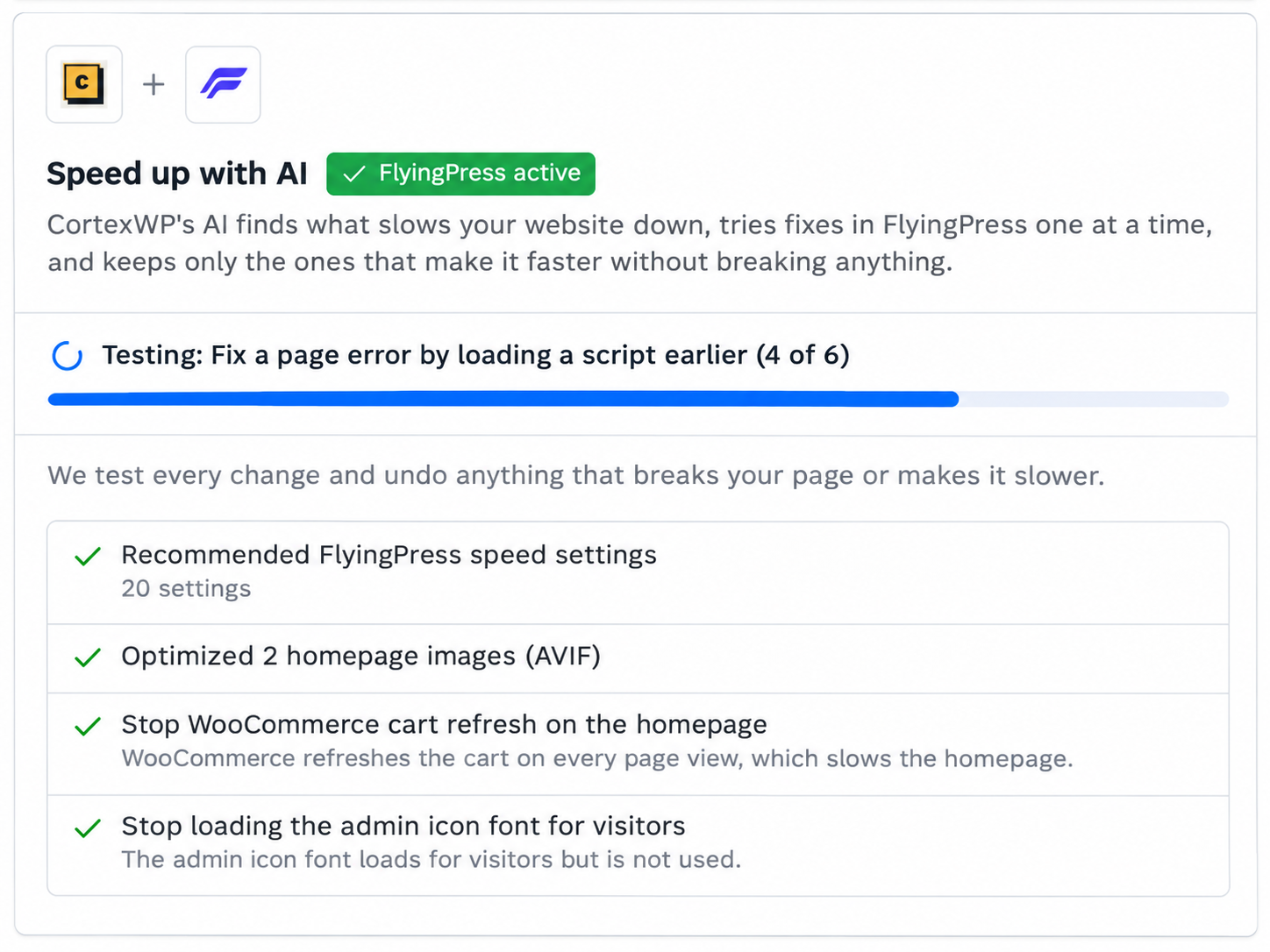
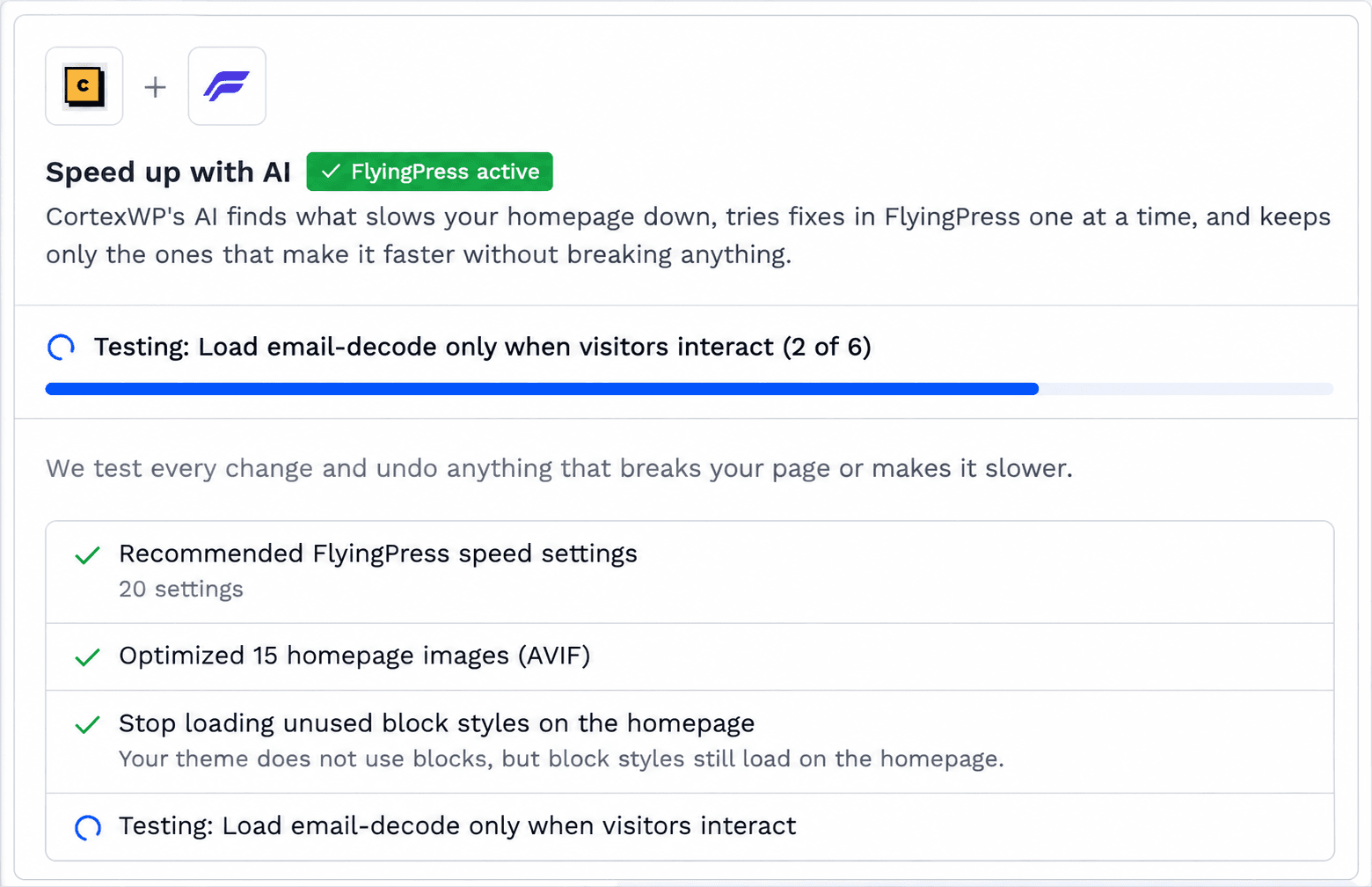
CortexWP AI, combined with FlyingPress, automatically optimizes your WordPress website for the best speed and performance. Our AI inspects your website on a real browser, finds what's slowing down, & configures speed optimizations to fix those and to make your website load blazing fast.
AI speeds up your WordPress site with FlyingPress, with a click.
No two WordPress sites are slow for the same reason. It might be a heavy page builder, a chat widget, an oversized hero image or a slow theme. Press one button and CortexWP AI opens your site in a real browser, finds what is actually slowing it down, sets up FlyingPress to fix it, then checks that nothing broke.
01
Finds what’s slowing you down
CortexWP AI loads your site in a real browser and runs Google PageSpeed Insights. It pinpoints render-blocking JavaScript and CSS, oversized images, the element holding back your LCP, layout shifts, and slow third-party scripts like chat widgets, ads and tracking pixels.
02
Configures FlyingPress for you
Based on what it finds, the AI turns on the FlyingPress settings your site needs: page caching, remove unused CSS, delay JavaScript, lazy loading and lazy rendering, WebP or AVIF image compression, and database cleanup, plus any other speed fixes your site needs. You never open a settings page.
03
Checks that nothing broke
Then it loads your site in the browser again. Did the PageSpeed score go up? Does the page still look the same? Do the menus still open? Any new JavaScript errors? If something broke, CortexWP rolls that change back automatically.
WordPress speed optimization features
Everything that makes WordPress fast, set up by AI.
FlyingPressdoes the heavy lifting: caching, image optimization, CSS and JavaScript optimization, and preloading. CortexWP AI works out which of those your site needs and configures them for you.
WordPress page caching
Visitors get a ready-made HTML page instead of WordPress rebuilding it with PHP and database queries on every visit. That means faster server response time (TTFB) and less load on your hosting. The AI also sets up mobile cache and cache preloading.
Image optimization
Images are compressed and converted to WebP or AVIF, which clears the “serve images in next-gen formats” warning in PageSpeed. Key images load first, and the rest lazy load as visitors scroll.
Delay and defer JavaScript
Chat widgets, analytics, pixels and sliders don’t need to load before your content does. The AI decides which scripts to delay until the visitor interacts and which to defer, so your page shows up sooner and INP improves.
Remove unused CSS
Most themes and page builders load CSS for features a page never uses. FlyingPress strips it out and loads only the critical CSS each page needs, which gets rid of render-blocking stylesheets.
Core Web Vitals optimization
Targeted fixes for LCP, CLS and INP, the metrics Google uses to judge page experience. Results are measured with real PageSpeed Insights tests before and after the speed-up.
Cache check
Your key pages are compared with and without cache, on desktop and mobile. Visual regression tests catch layout changes, and interaction tests make sure menus, toggles and forms still work.
Safe by design
A faster site, without breaking your site.
Speed plugins have a reputation for breaking things: a menu that won’t open, a slider that never loads, a checkout button that does nothing. That’s why the speed-up doesn’t stop once the settings are saved. CortexWP AI reloads your site in a real browser and compares it with how it looked and worked before. If an optimization breaks something, it is rolled back automatically.
Real-browser check before and after the speed-up
Visual regression tests catch layout changes
Console error detection for broken JavaScript
PageSpeed Insights confirms the score went up
Automatic rollback if anything breaks
WordPress image optimization
Smaller images, faster pages: WebP and AVIF with FlyingPress.
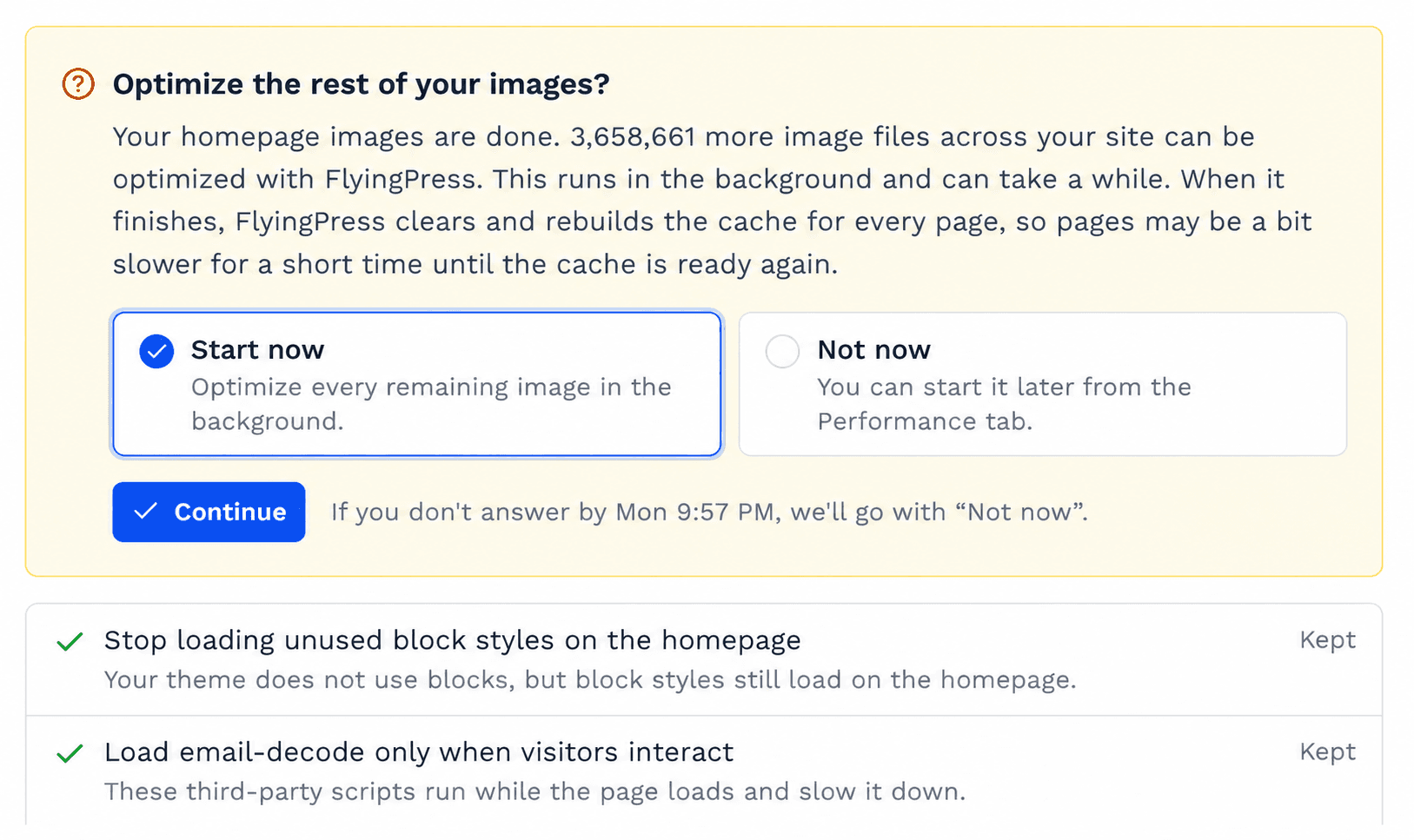
Large images are the most common reason a WordPress site loads slowly, and often the reason behind a poor LCP score. FlyingPress compresses your images in the cloud, converts them to WebP or AVIF, and serves each browser the best format it supports.
During the speed-up, CortexWP AI optimizes the images on your homepage first. After that, you can bulk optimize your whole media library in one click, and every new upload is compressed automatically.
Cache check
Make sure caching didn’t break anything.
Caching is the biggest speed boost you can give WordPress, and also the most common reason things break. A cached page can show the wrong login state, an old cart, a menu that won’t open or a layout that looks off on mobile. CortexWP runs a cache check on your key pages: it loads each page with and without the FlyingPress cache, then compares how they look and how they behave.
Visual regression testing
Screenshots of the cached and uncached versions are compared side by side. Shifted layouts, missing sections, broken images and font changes are highlighted, so you see exactly what caching changed.
Interactivity testing
The AI uses the page like a visitor would. It opens menus and submenus, taps the mobile menu, expands accordions and tabs, flips toggles and checks buttons and forms. If something works without cache but not with it, you’ll know.
Desktop and mobile
Every check runs on both desktop and mobile. A hamburger menu that only breaks on phones gets caught before your visitors run into it.
Core Web Vitals
Pass Core Web Vitals and raise your PageSpeed score.
CortexWP AI measures your site with Google PageSpeed Insights before and after the speed-up, on mobile and desktop. Each test runs several times and the median is used, so one slow run can’t skew the result.
The fixes target the three Core Web Vitals Google uses to measure page experience: Largest Contentful Paint (LCP), Cumulative Layout Shift (CLS) and Interaction to Next Paint (INP). A faster site keeps visitors from bouncing, helps your SEO, and turns more visits into sales.
LCP1.2s
Largest Contentful Paint
CLS0.02
Cumulative Layout Shift
INP85ms
Interaction to Next Paint
What’s included in AI speed optimization
01Real-browser speed diagnosis with Google PageSpeed Insights
02One-click FlyingPress setup: page caching, mobile cache and cache preloading
03Delay and defer JavaScript to eliminate render-blocking resources
04Remove unused CSS and load critical CSS first
05Image compression to WebP or AVIF, with bulk optimization
06Lazy loading for images and lazy rendering for below-the-fold sections
07Delayed loading for chat widgets, ads and analytics scripts
08Database cleanup for post revisions, spam comments and transients
09Automatic re-check after the speed-up, with rollback if anything breaks
10Cache check with visual regression and interactivity tests on desktop and mobile
Speed up your WordPress site in one click.
Connect your site, add FlyingPress, start the speed-up, and CortexWP AI handles the rest. No settings to learn, no developer needed.