CortexWP AI · WordPress engineering
An AI agent that connects directly to your WordPress site.
Manage WordPress with safe updates on AutoPilot, Visual Regression testing, Backups, Uptime monitoring, Broken Link checks, Security, and AI that directly fixes WordPress issues on your site.
Websites
Your connected WordPress sitesFeatures
The work that keeps a WordPress site healthy is all connected.
Most site problems are not isolated. A plugin update can trigger a visual change, a PHP warning can explain a slow page, and a backup only matters when you can find and restore it. CortexWP keeps those signals together.
AI that knows WordPress
Connect your site and use CortexWP AI to investigate, explain, and fix real WordPress issues.
Learn moreSite connection & access
Connect through the CortexWP plugin or SFTP/SSH so CortexWP can inspect the real WordPress install.
Learn moreSafe update automation
Update plugins, themes, and core through backup-first checks, visual comparisons, rollback, and history.
Learn moreUptime & performance
Catch downtime, slow responses, SSL attention, and incidents before users do.
Learn moreBroken links & images
Find the exact page, URL, and reason behind broken links and missing images.
Learn morePHP error monitoring
See recurring warnings, notices, and fatal errors with full stack trace to fix them.
Learn moreSecurity & vulnerabilities
Get alerts about any Vulnerability in the plugins/themes you're using in your sites.
Learn moreBackups & restore
Create full-site backups and restore when an update or mistake goes too far.
Learn moreVisual regression tests
Compare before and after captures so a successful update does not hide a broken experience.
Learn moreSite health
Turn runtime, security, and configuration checks into a daily maintenance view.
Learn moreLogin monitoring
Review failed login activity and investigate suspicious patterns from one place.
Learn moreHistory & reporting
Keep an understandable record of updates, backups, restores, checks, and outcomes.
Learn moreSafe WordPress updates
AutoPilot runs safe updates while you sleep.
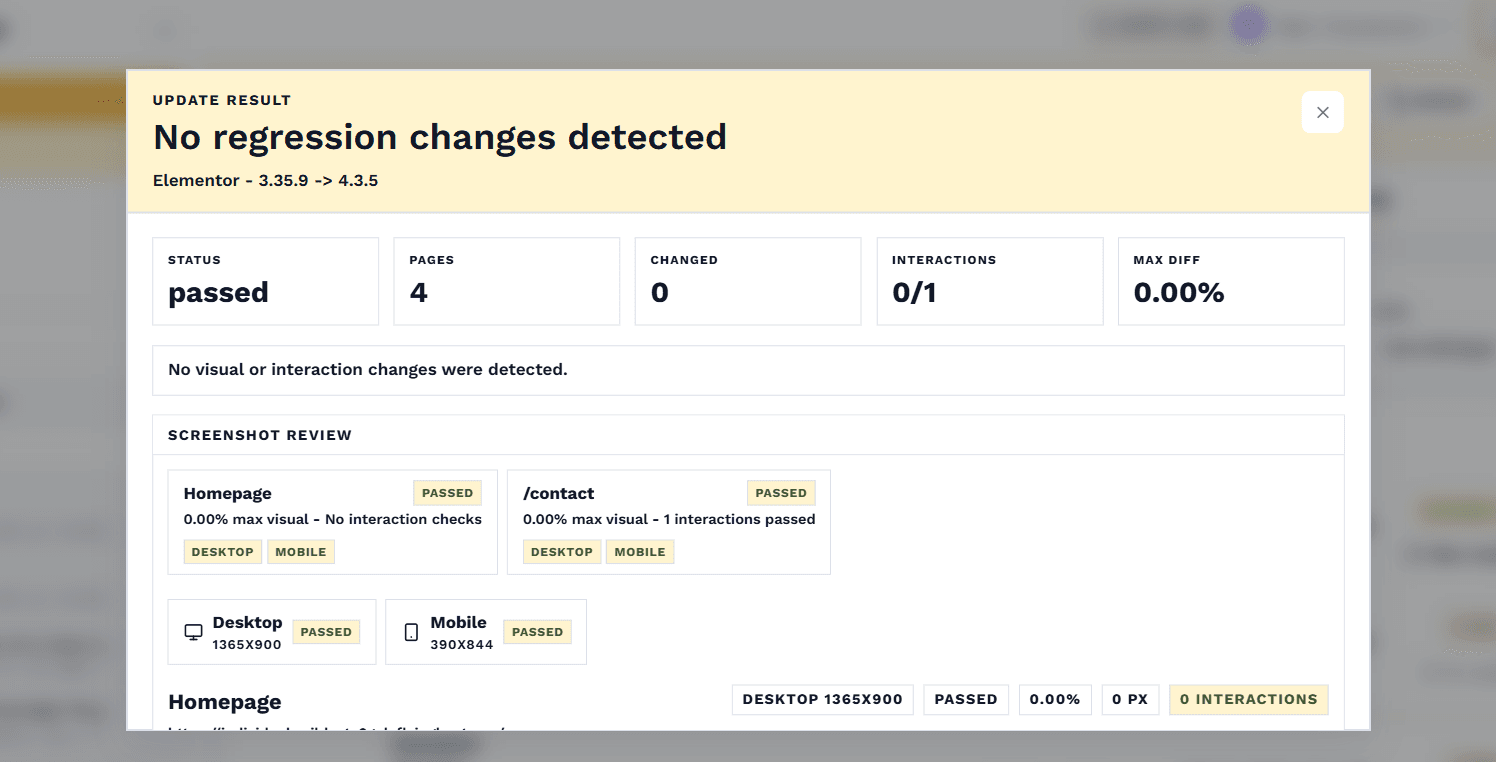
AutoPilot starts with a full-site backup, plus indiviual backups of the plugin/theme. It then runs Visual Regression Tests before and after updating, to find if anything broke. If something breaks, you have a path back.
Three steps to less maintenance drag
Connect once. Set your rules. Get back to the work that matters.
CortexWP is built for freelancers, agencies, and teams that want dependable WordPress care without stitching together another set of subscriptions.
Connect your sites
Use the helper plugin or SFTP/SSH to connect CortexWP AI and all the monitoring features and setup AutoPilot.
Setup AutoPilot
Check Monitors & choose AutoPilot schedule to run updates with Backups and Visual Regression tests.
Chat or let it run
Ask the AI to investigate and fix a problem, or let CortexWP keep routine maintenance moving.
Use every management feature free.
There is no separate subscription for uptime, backups, safe updates, security checks, or link monitoring. Paid plans are for AI token usage: the actual reasoning, inspection, tool calls, changes, and fixes made to your website.
Ready when you are